
Wattson
See Which Apps Drain Your Mac's Battery — Free macOS Energy Monitor
Your Mac knows which apps are draining your battery — it just refuses to remember. Activity Monitor’s Energy tab shows a rolling average of the last few hours and forgets everything on reboot, so by the time you notice the battery is flat, the evidence is gone. Wattson records it: every minute, quietly, into a local database you can browse and export.
Open the menu bar popover and see today’s ranking, with each app’s share of everything your Mac measured. Open the window for the full picture: the largest contributors, whether anything is worth a look, weeks of history you can scroll back through, and a battery view that pairs each discharge with what was running across it. Export a range as CSV or JSON.
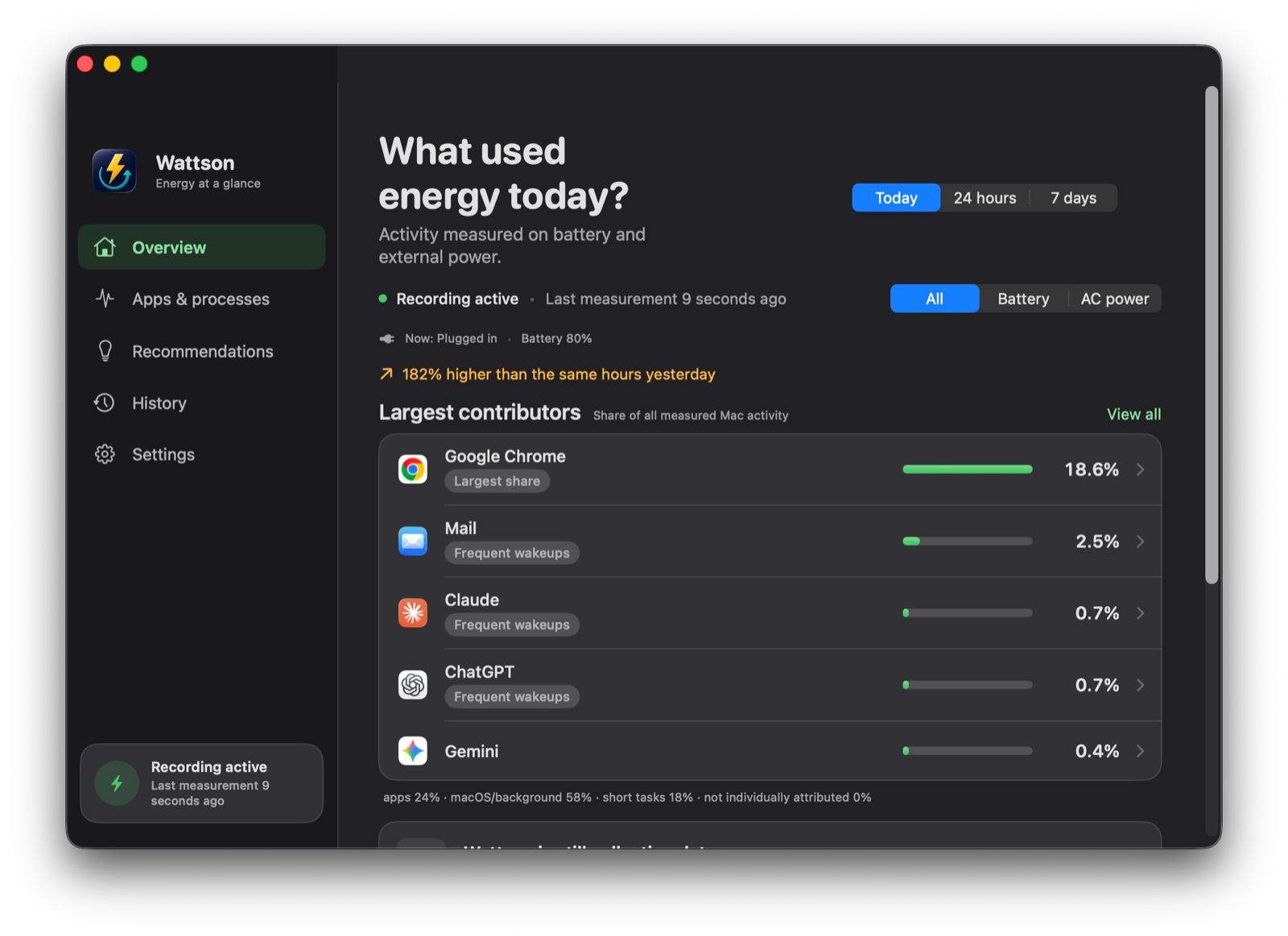
Every number is a share of everything your Mac measured — which is why named apps add up to less than 100%, with the remainder shown rather than quietly folded into the apps.
Install
Wattson installs with Homebrew:
brew tap data-consulting-services/apps
brew trust data-consulting-services/apps
brew install --cask wattson
The brew trust step is needed once for third-party taps since Homebrew 6. Updates arrive with brew upgrade wattson.
On first launch, Wattson asks you to enable the recording service — a one-time admin approval in System Settings → Login Items. Until you approve it, nothing is recorded.
Features
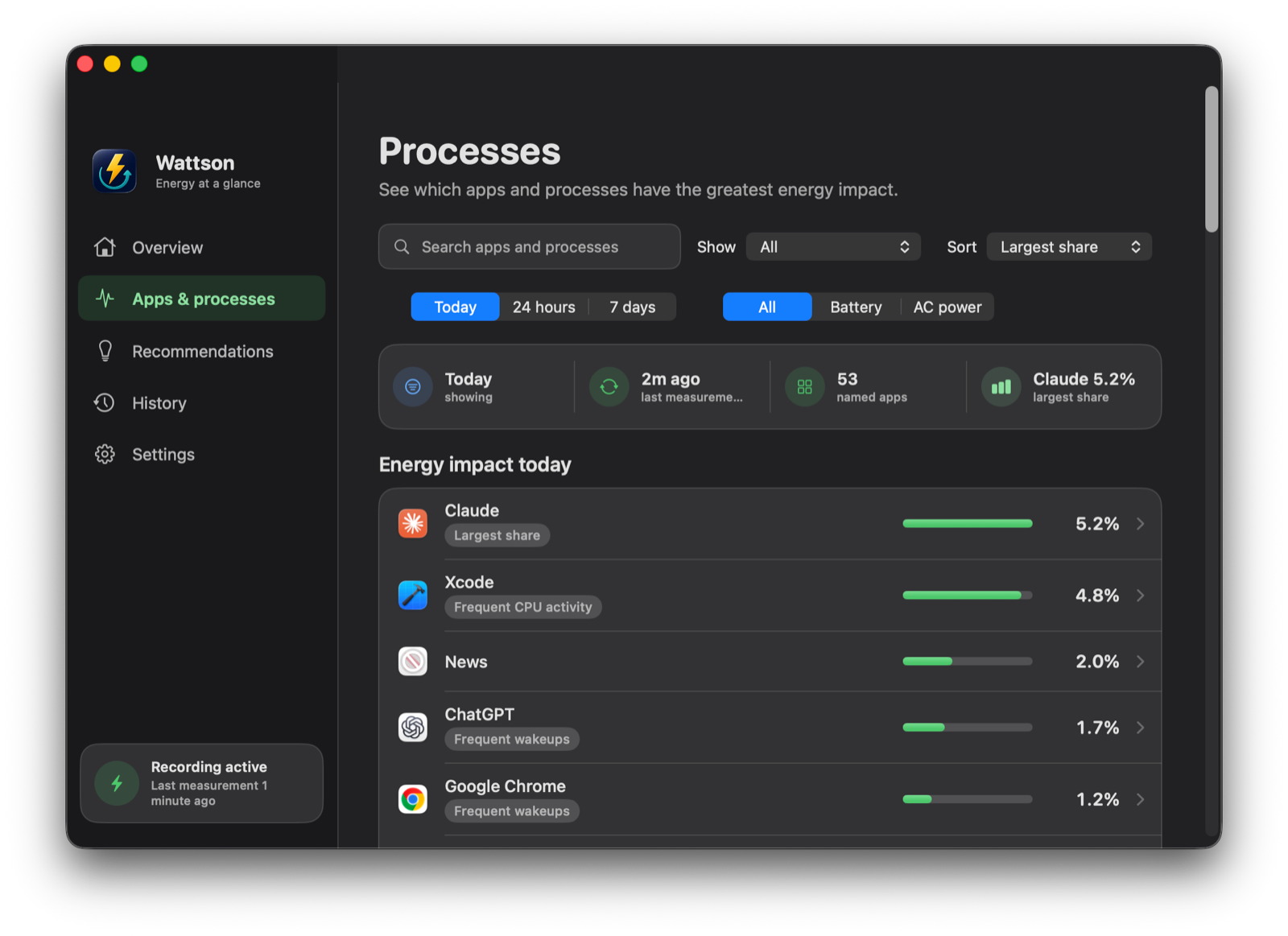
Per-app energy ranking
The apps that consumed the most energy in the range you pick — today, 24 hours or 7 days, and calendar weeks, months and quarters in History — each with its share of the machine’s total, its app icon, and technical detail (CPU time, wakeups, an estimated power figure) kept one click away rather than in your face.
Battery or plugged in
Every measurement records which power source your Mac was running on, so you can ask the question you actually have: what drained the battery, as opposed to what ran while you were plugged in. Filter any view by Battery, Plugged in, or All.
What drained the battery
A Battery page for the pack itself: charge, health against its design capacity, cycle count, temperature, and what the adapter is delivering against what it is rated for. Because Wattson also keeps a per-app energy history, each discharge run can be opened to see what was running across it — a share of measured activity, never a claim that one app cost you so many percentage points.
It also explains the discharge that confuses everyone: if your Mac loses charge while plugged in, Wattson says so, because macOS discharges toward a charge limit and a heavy load can outrun the adapter.
Act on what you find
Quit or force-quit an app straight from its row, without a detour through Activity Monitor. Rows that are macOS itself, or sums of many short-lived processes, deliberately offer nothing to quit.
Tells you when it stops
A recorder that quietly dies is worse than no recorder. Wattson’s service reports every collection attempt, so the app can tell “registered” apart from “actually recording” — and says so, with a notification if recording needs your attention while the window is closed.
Real history
Wattson keeps minute-level detail for a week, hourly totals for 90 days, and daily totals beyond that. Sleep and shutdown show up as gaps, not as fake zeros.
Honest numbers
Wattson samples 5 seconds of every minute using Apple’s own powermetrics tool and says so. Short-lived background processes get their own bucket instead of being silently redistributed. Shares are computed against the true system total, so they deliberately don’t sum to 100%.
Explains the why
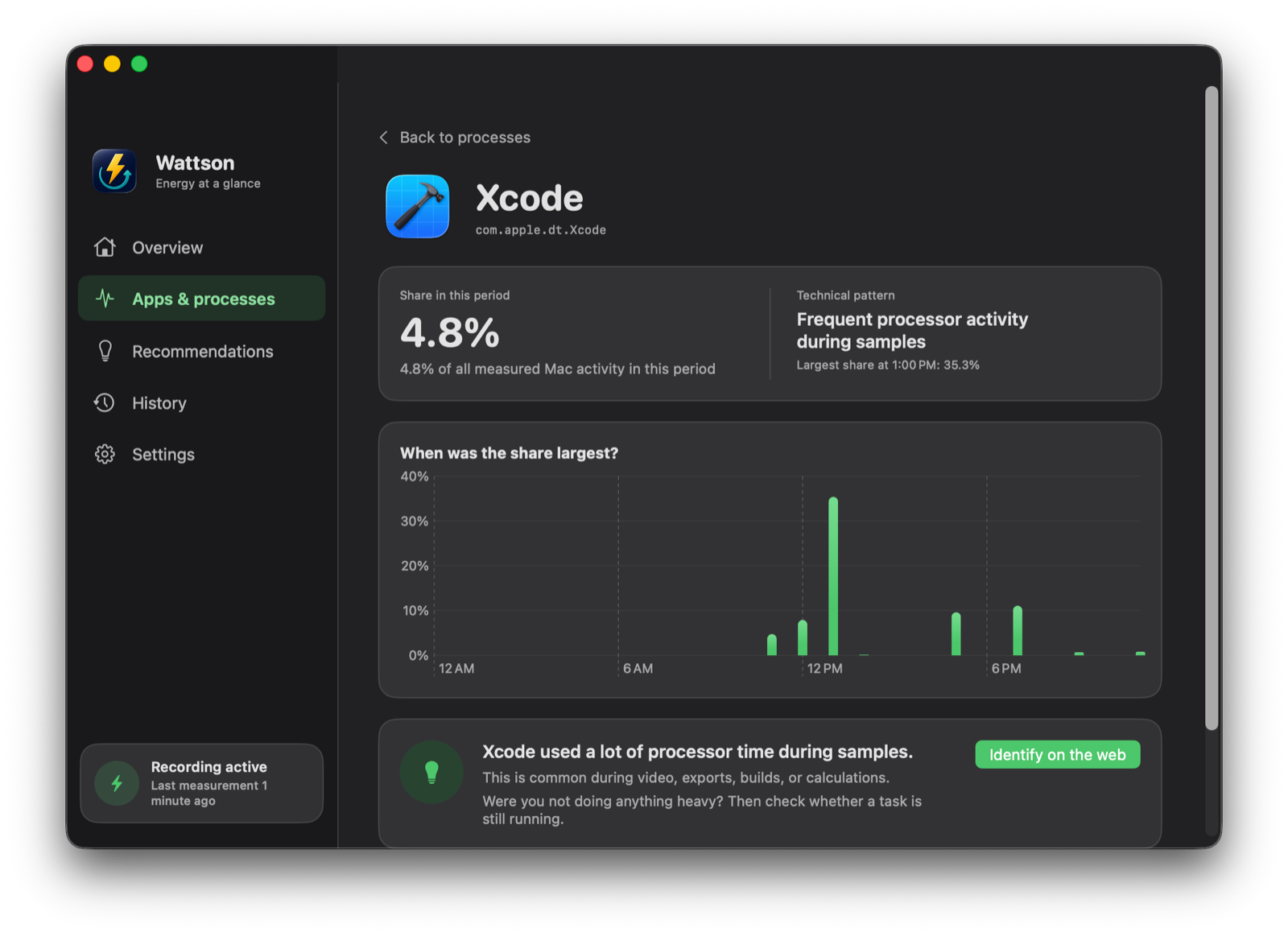
High energy with high wakeups is a chatty background app; high energy with high CPU is sustained work. Wattson stores both and tells you which pattern it sees.
Identify unknown processes
Never heard of some helper process? One right-click runs a web search built from only the process name and bundle identifier — never file paths or anything personal.
Warns you about a background drain, sparingly
Optionally, Wattson can notify you when a background app takes a quarter of all measured activity for five minutes running — at most once every six hours per app, never for whatever you are looking at, and off until you switch it on.
Export everything
CSV and JSON export for any date range, including the short-lived-processes bucket and per-period share of total. Your data, your files.
An Activity Monitor alternative that remembers
Activity Monitor answers “what is using energy right now”. Wattson answers “what used my battery last night, on Tuesday, or over the past month” — and lets you export the answer as CSV or JSON.
How it works
A small system service samples powermetrics in 5-second bursts once per minute and attributes helper processes to the app that owns them — 25 browser helper processes roll up into one browser row. The sampler is not exempt from measurement: it appears in Wattson’s own process list, where it accounted for roughly 0.15% of measured activity on the developer’s Mac, and the recording service itself for under 0.01%. Your numbers are in your own list — Wattson cannot hide its own cost. Recording needs a one-time admin approval in System Settings, because that’s how macOS gates access to per-process energy data.
What Wattson will not do
Wattson reads; it does not reconfigure your Mac. It will not set a charge limit, switch power modes, or keep your Mac awake — those need privileged access to system state, and there are good apps that specialise in them. The one thing Wattson acts on is quitting an app you asked it to quit, and it refuses to offer that for macOS’s own processes.
Nor does it claim to convert energy into battery percentage points. Apple’s Energy Impact is a composite score, not watt-hours, so Wattson reports shares of what it measured and says exactly what that means.
Requirements
macOS 14 (Sonoma) or newer, Apple Silicon or Intel.
Support
For support, please contact us at apps@dataconsultingservices.net