See where it goes.
Income, groceries, subscriptions: find out what you spend and what changes.
Spending & insights Stay Steady
 YOUR FREE BUDGET APP
Where does your money go? See your income and spending in one overview. And make room for the things that matter to you.
Now on the Mac App Store too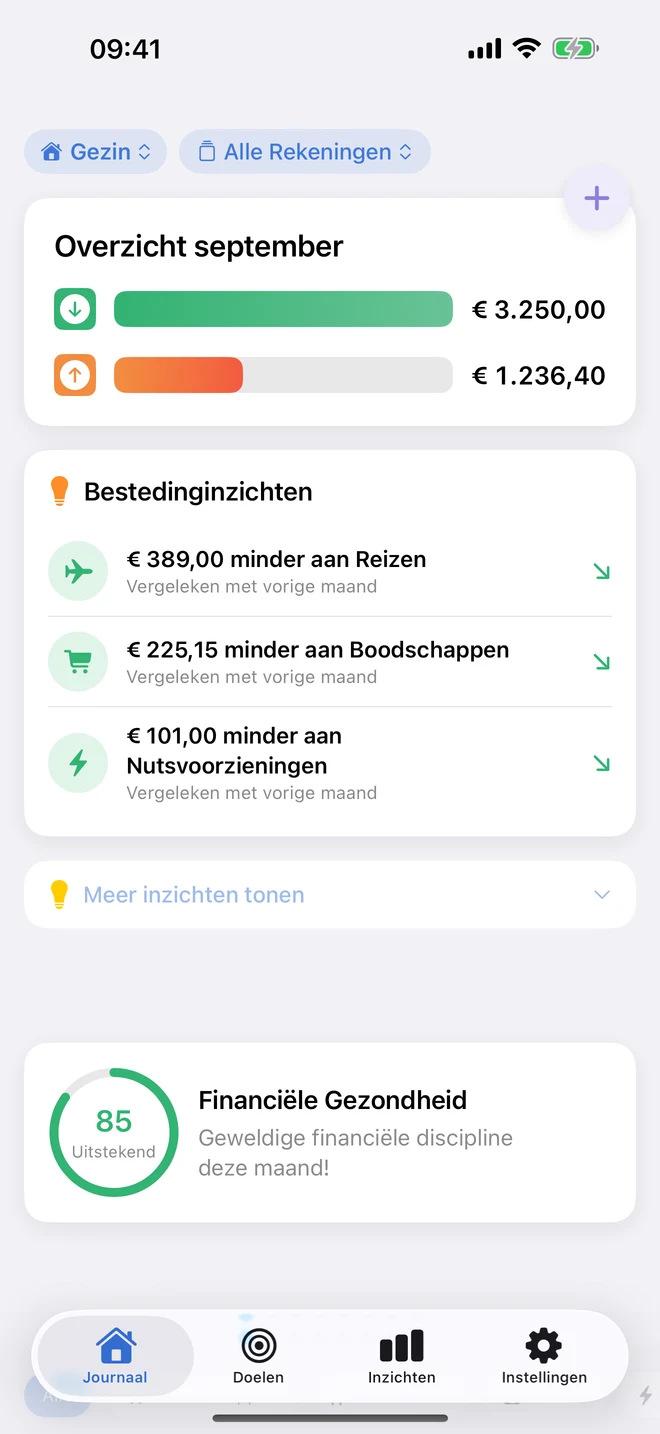
LESS GUESSING. MORE GRIP.
From that daily coffee to your next big plan.
Bring your money together in an overview you understand.
Income, groceries, subscriptions: find out what you spend and what changes.
Spending & insightsSet limits per category and see how much room is left. You decide what suits you.
Budgets per categoryA buffer, a trip or something else entirely. Give your goal an amount and watch your progress.
Personal savings goals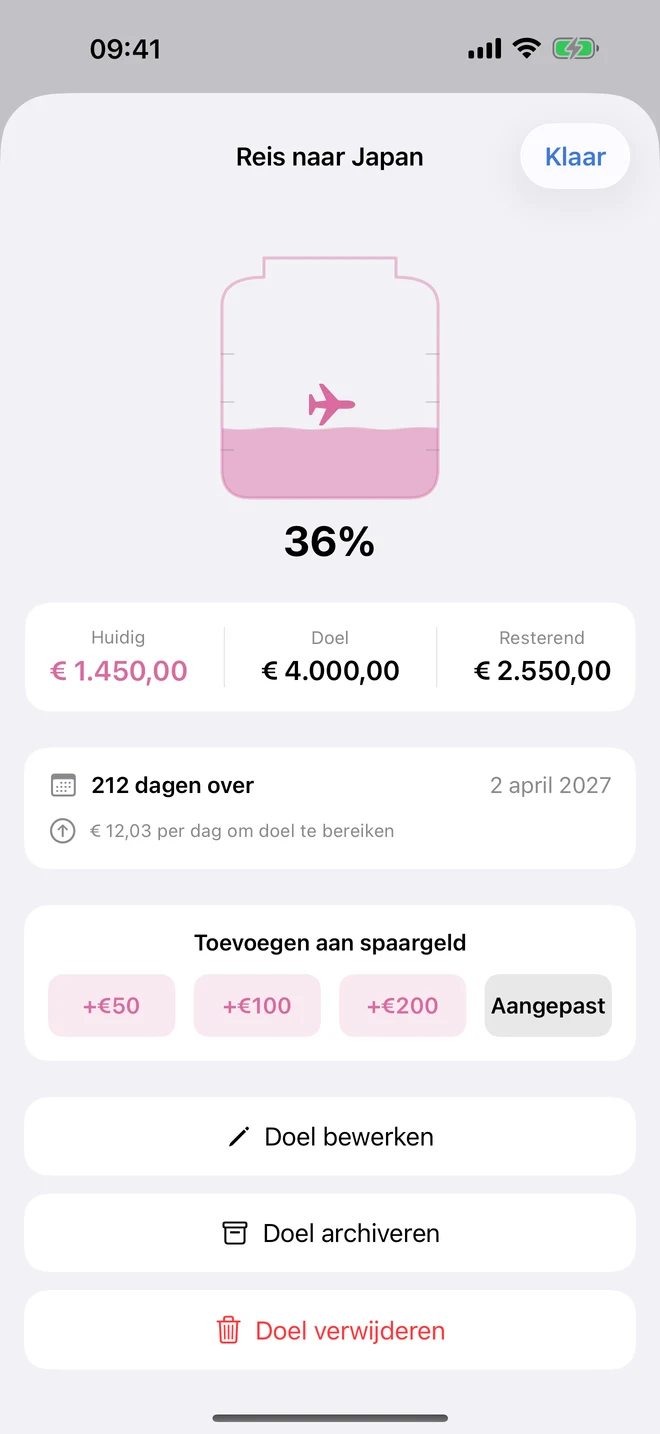
FROM ‘SOMEDAY’ TO A PLAN
That trip you have been thinking about for a while. A reserve for unexpected costs. Or simply a bit more overview at the end of the month.
With Stay Steady your plans get a place. You see what you have already built up and what you still want to reach.
Start with your first goalYOU STAY IN CONTROL
No sharing bank logins. No bank connection needed.
Pick your device. You can get started without an account.
For example, export a CSV from your bank and open it in Stay Steady. Or add a transaction yourself.
Check your categories, set a budget and choose your first savings goal.
You update your overview yourself with new imports. Supports CSV, OFX, CODA and MT940, among others; no PDF bank statements.
PERSONAL STAYS PERSONAL
No ads between your expenses. No subscription to follow your savings goal. And no access to your bank account.
Read how we handle your dataOn your own device. Optional sync through your own iCloud on Apple devices.
Signing in and additional online features are optional. You choose what you use.
Separate environments for your family, company or association. No mixed-up overviews.
Yes. No subscription, no in-app purchases and no ads in the app. You can track your spending, budgets and savings goals without paying.
No. You export a statement from your bank and import it yourself. Stay Steady supports CSV, OFX, CODA and MT940, among others. You do not share a bank login with the app. A PDF bank statement cannot be imported. The app can also fetch your transactions from a service you subscribe to yourself. You then sign in to your bank there, not in the app.
Never without you. Import a new file whenever you want to update your overview, or add a transaction by hand. The app can also fetch them from a service you subscribe to yourself, each time you tap Fetch now.
No. You can start without an account. Signing in and additional online features are optional; the app explains which data they use.
Yes. Create separate environments for your family, your business or an association. Every account belongs to one environment, so business amounts do not end up among your personal spending.
Stay Steady is available for iPhone, iPad and Mac through the App Store, and for Android through Google Play. The Apple versions can optionally sync through your own iCloud. Android does not sync automatically with your Apple devices.
STAY STEADY
Download the app. Discover your numbers. Make your plan.
iOS / iPadOS 26.1 or later
Android 11 or later
macOS 15 or later
Free. No subscription. No bank connection needed.
Compare before you choose: Stay Steady vs YNAB · Stay Steady vs Monarch Money · Stay Steady vs Copilot Money
See all features and technical informationNo subscription, no ads, and that will not change. Building and maintaining the app does cost us money. If you would like to chip in, you can. You get nothing extra for it: the app is the same for everyone.
Buy us a coffee